
7 Expert Sketchfab Secrets to Create Stunning 3D Models Like a Pro
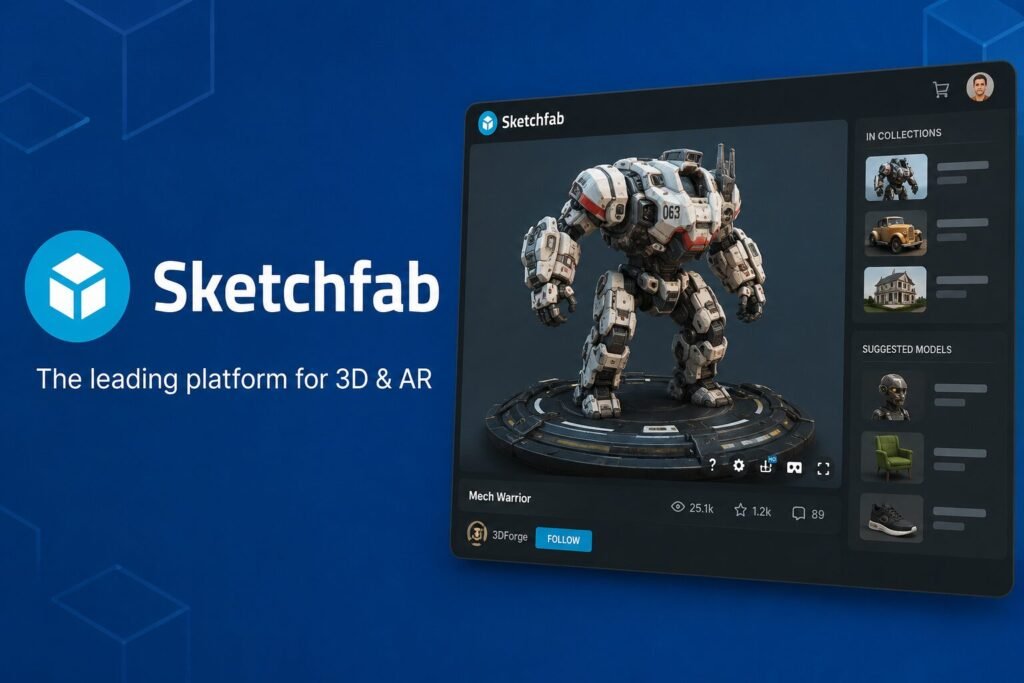
Table of Contents
Introduction
Want to create impressive 3D content and share it online? Sketchfab is one of the most popular platforms for uploading, viewing, and showcasing interactive 3D models. Whether someone is a beginner or an experienced 3D artist, Sketchfab provides powerful tools for displaying digital creations in a professional way. This guide explains how to create stunning 3D models on Sketchfab, optimize them for better quality and performance, and use its interactive features to attract a larger audience.
Thesis Statement
This guide explains how to create stunning 3D models on Sketchfab, optimize them for quality and performance, and use the platform’s powerful features to showcase work professionally and reach a wider audience.
What Is Sketchfab?
Sketchfab is a cloud-based platform that allows users to upload, publish, and share interactive 3D models directly in a web browser. Instead of downloading special software, viewers can rotate, zoom, and inspect models from any angle.
Today, Sketchfab is widely used by game developers, architects, educators, museums, engineers, product designers, and digital artists. It supports numerous 3D file formats, making it compatible with most popular modeling software.
One of the platform’s biggest strengths is accessibility. Models can easily be embedded into websites, blogs, portfolios, and online stores, allowing creators to reach a much larger audience.
Why Sketchfab Is Popular Among 3D Artists
Thousands of creators choose Sketchfab because it combines powerful visualization tools with a simple publishing process.
Some of its biggest advantages include:
- Interactive 3D viewer
- Browser-based viewing
- High-quality rendering
- VR and AR support
- Easy model embedding
- Secure model sharing
- Marketplace for selling assets
- Large creative community
These features make it an excellent platform for beginners and professionals alike.
How to Create Stunning 3D Models for Sketchfab
Creating professional-looking models starts long before uploading them.
Plan the Model Carefully
Successful projects begin with proper planning. Artists should define the model’s purpose, target audience, and required level of detail.
Use Clean Geometry
Good topology improves performance while maintaining visual quality. Avoid unnecessary polygons whenever possible.
Apply High-Quality Textures
Realistic textures make models stand out. Proper UV mapping and optimized texture sizes improve both appearance and loading speed.
Optimize Lighting
Lighting greatly influences how a model appears inside Sketchfab’s viewer. Experiment with shadows, HDR environments, and post-processing effects.
Optimizing Models Before Uploading
Optimization ensures smooth viewing across different devices.
Important optimization tips include:
- Reduce unnecessary polygons
- Compress texture files
- Remove hidden geometry
- Optimize animations
- Check UV mapping
- Test model performance
- Keep file sizes manageable
These practices help improve loading speed without sacrificing visual quality.
Using Sketchfab Features Effectively
Sketchfab offers several built-in tools that improve presentation.
Creators can customize:
- Camera positions
- Lighting settings
- Background environments
- Annotations
- Materials
- Animations
- Model inspector
- Virtual Reality viewing
Using these options creates a more engaging experience for visitors.
Best Practices for Showcasing 3D Models
Presentation is just as important as modeling.
Creators should:
- Write clear model descriptions
- Add relevant tags
- Use attractive thumbnails
- Organize collections
- Share models on social media
- Embed models into portfolios
- Update projects regularly
Professional presentation increases visibility and engagement.
Common Mistakes to Avoid
Many beginners make avoidable mistakes that reduce model quality.
Common issues include:
- Extremely large file sizes
- Low-resolution textures
- Poor lighting
- Broken UV maps
- Incorrect scaling
- Missing model descriptions
- Too many polygons
Avoiding these mistakes improves user experience significantly.
Sketchfab for Different Industries
Sketchfab serves many industries beyond gaming.
It is commonly used in:
- Architecture
- Engineering
- Education
- Museums
- Medical visualization
- Manufacturing
- Product marketing
- Film production
Its flexibility makes it valuable for many creative professionals.
Future of Sketchfab
As technology advances, interactive 3D experiences continue becoming more important.
Artificial intelligence, virtual reality, augmented reality, and real-time rendering are expected to expand Sketchfab’s capabilities even further. Businesses, educators, and creators are likely to rely more on immersive 3D content in the coming years.
Conclusion
Sketchfab has transformed the way creators publish and present interactive 3D models online. With proper optimization, high-quality assets, and thoughtful presentation, anyone can build an impressive digital portfolio. By following the strategies covered in this guide, creators can improve model quality, attract more viewers, and make the most of everything Sketchfab has to offer.
Frequently Asked Questions
Is Sketchfab free to use?
Yes. Sketchfab offers both free and paid plans with different features and storage limits.
Which file formats does Sketchfab support?
It supports many popular 3D formats, including FBX, OBJ, GLTF, STL, and Blender files.
Can Sketchfab models be embedded on websites?
Yes. Sketchfab provides embed codes that work on most websites and blogs.
Does Sketchfab support VR?
Yes. Many models can be viewed using virtual reality devices.
Can creators sell 3D models on Sketchfab?
Yes. Eligible creators can sell digital assets through the Sketchfab marketplace.
Is Sketchfab suitable for beginners?
Absolutely. Its user-friendly interface makes it accessible for newcomers while still offering advanced features for professionals.
Suggested Category
Technology
Suggested Tags
- Sketchfab
- 3D Modeling
- Digital Design